
Promoted
Kampala, Central Division, 1 hour ago
1 views
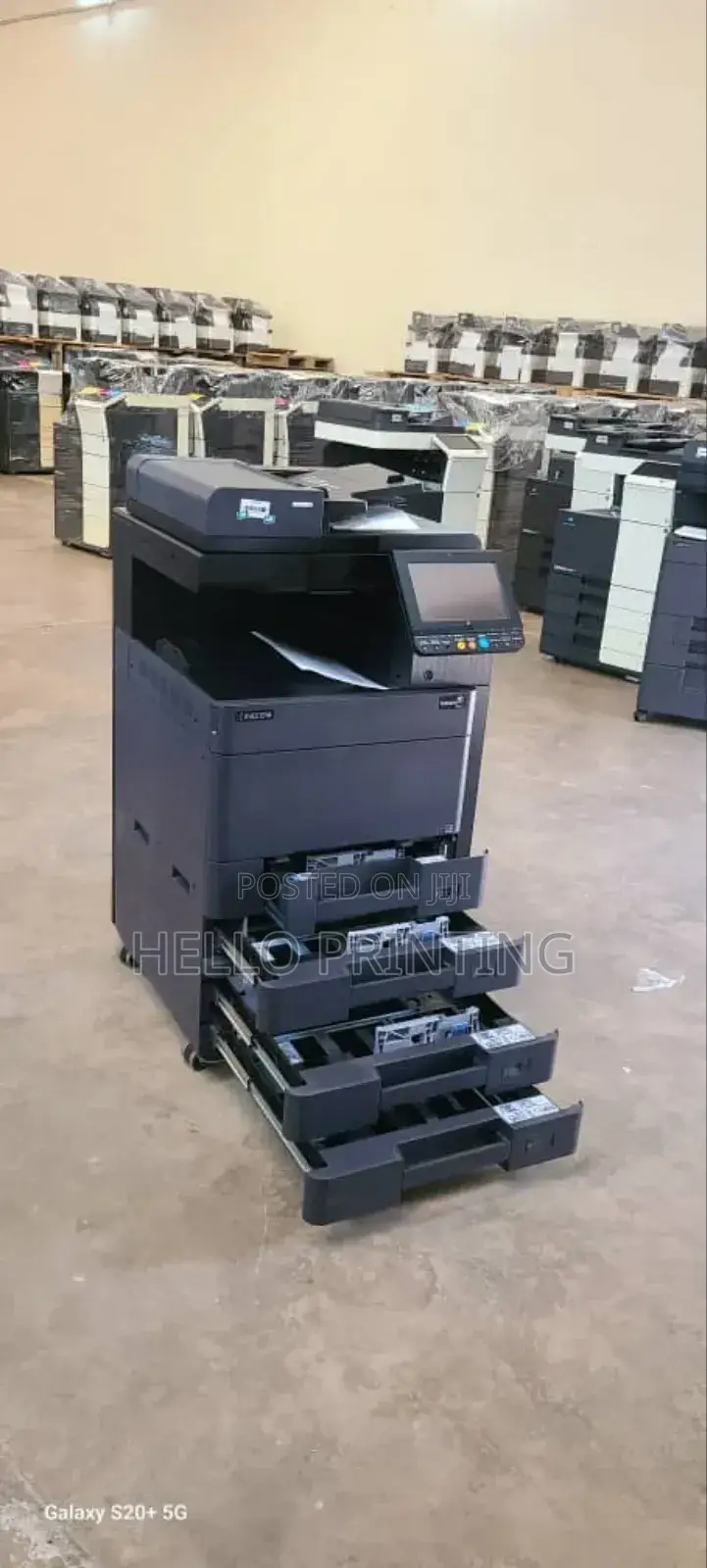
Kyocera 2552ci New Stock – Easy Flash Disk Printing Feature
Laser Printer
Type
Brand
Taskalfa 2552ci
Model
A3 (297 x 420 mm), A3+ (329 x 423 mm), A4 (210 x 297 mm), A5 (148 x 210 mm), A6 (105 x 148 mm), A7 (74 x 105 mm), A8 (52 x 74 mm), A9 (37 x 52 mm), A10 (26 x 37 mm), B5 (176 x 250 mm)
Supported Paper Size
Plain
Compatible Paper Types
Color
Colours
25pages/min
Color Printing Speed
Refurbished
Condition
Store address
Kampala • Central Division
Ddembelyo House Suite 262
Search for Hello Printing TECHNOLOGIES on Google and follow the direction.
Closed now
• Mon - Sat, 08:30-18:00
Kampala • Central Division
Gentex Close Ntinda Industrial Area.
Ask for a pin for Google maps navigation
Closed now
• Mon - Sat, 09:00-17:00
You don’t need a computer to use this printer. Simply insert a USB flash drive directly into the front port, and the screen will show your files. Choose the one you want and print — all in a few simple steps. It supports popular file types like PDFs, Word documents, Excel sheets, and images, so it’s perfect for businesses that deal with customers who come in with flash drives. Whether it’s printing CVs, forms, or certificates, this feature saves time and keeps queues moving, especially in typing bureaus, schools, or business centers.
USh 3,000,000
Negotiable
Safety tips
- Avoid paying in advance, even for delivery
- Meet with the seller at a safe public place
- Inspect the item and ensure it's exactly what you want
- Make sure that the packed item is the one you've inspected
- Only pay if you're satisfied


